
The Backlog holds every campaign, from idea to result. You can view it as a table, a board or a timeline.
Create a campaign
- Open Backlog in the sidebar.
- Click New campaign.
- Add a name, client, channels, dates, budget and priority.
Table view
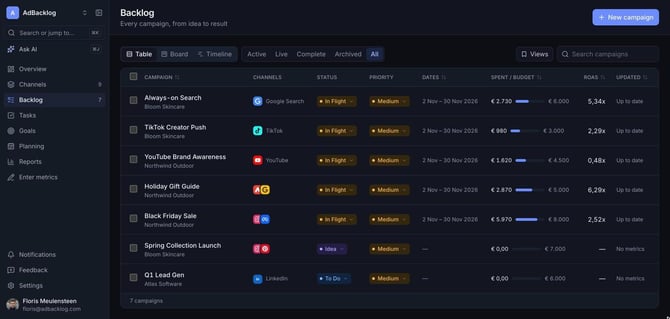
The table shows channels, status, priority, dates, spend against budget, ROAS and when the numbers were last updated. Click a column header to sort. Use Active, Live, Complete, Archived or All to filter, or search by name.
Board view
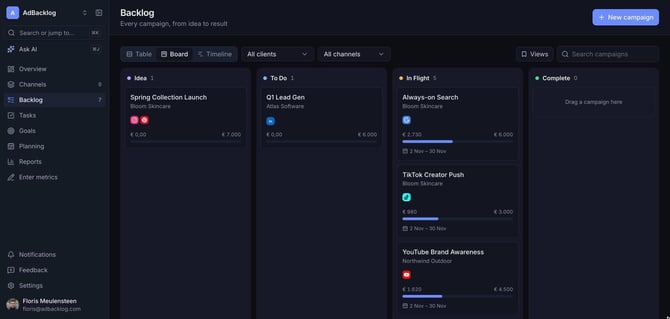
The board groups campaigns by status: Idea, To Do, In Flight and Complete. Drag a card to change its status. Filter by client or channel at the top.
Timeline view
The timeline shows campaign dates side by side, so you can spot overlaps and gaps in your planning.
Saved views
Set up filters and sorting the way you like and save them under Views, so your team can open the same selection in one click.