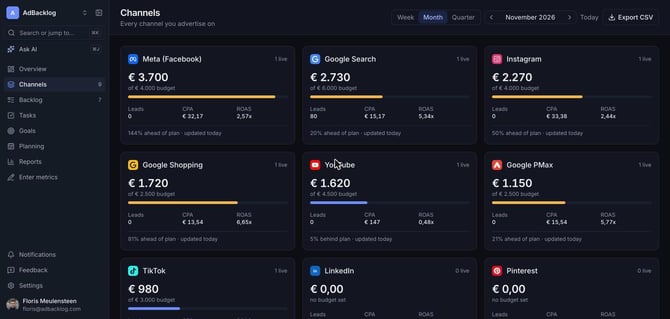
In Planning you set a budget per channel per month and compare it with what you actually spend.
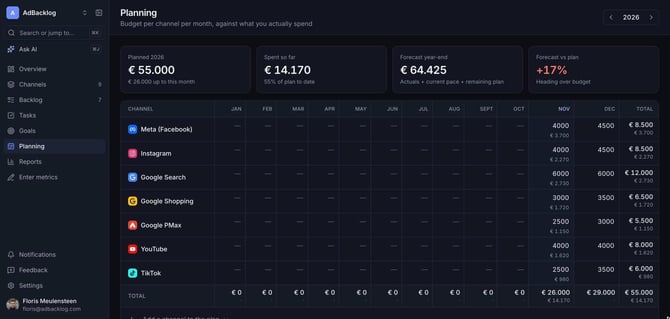
Set your budgets
- Open Planning and pick the year.
- Type the planned budget in the cell for each channel and month.
- Use Add a channel to the plan for channels that are not listed yet.
Each cell shows the plan on top and the actual spend below it.
Read the forecast
- Planned: the total budget for the year and how much of it falls up to this month.
- Spent so far: actual spend and the share of the plan to date.
- Forecast year-end: actuals plus the current pace plus the remaining plan.
- Forecast vs plan: whether you are heading over or under budget.
Pacing alerts
When a channel spends faster or slower than planned, it appears under Needs attention on the Overview and on the Channels page. Set the threshold that triggers an alert under Settings > Workspace > Pacing threshold.