
You can use AdBacklog from your own AI app, such as Claude, ChatGPT, Claude Code or Cursor, through MCP (Model Context Protocol). Your AI app can look up campaigns, numbers and tasks, and make changes like you can. This does not use your AdBacklog AI credits.
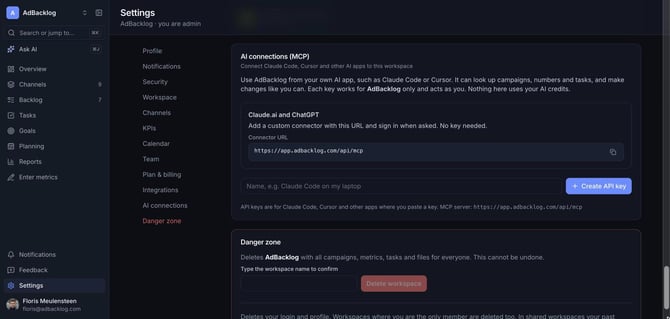
Claude.ai and ChatGPT
- In your AI app, add a custom connector.
- Use this URL: https://app.adbacklog.com/api/mcp
- Sign in to AdBacklog when asked. No API key is needed.
Claude Code, Cursor and other apps
- Go to Settings > AI connections.
- Enter a name, for example "Claude Code on my laptop", and click Create API key.
- Paste the key and the server URL https://app.adbacklog.com/api/mcp into your app.
Each key works for one workspace only and acts as you. Delete a key in the same screen to revoke access. MCP is available on the Team and Agency plans.